The icons in our domain (and subdomains) have changed to just letters...it's really confusing and looks like it has changed not only for me as administrator but for our end users as well (instructors and students). I don't see where that can be altered on our end. Is there a way to change it back to the previous icons or a set of icons that make sense? I'll comment with images of screenshots for examples. Here is a link from our main domain: https://ramseysolutions.agilixbuzz.com/admin/27253810/domain/details
Thanks for your help!
I have not been able to replicate this behavior after going to those areas in Buzz when using Chrome version 143.0.7499.193 in Windows. In order to attempt to encounter the reported behavior and investigate, I will need the following information:
What browser and version are being used?
Does it occur in Firefox.
Does the behavior remain after using Incognito mode in Chrome?
Does the behavior remain after refreshing the browser page?
Does refreshing the browser resolve the behavior in Chrome?
If it does not, may I please be provided with a screenshot of the About page dialogue? It's located in the sub-menu from the user's profile picture. Thanks again!
Chrome seems to work fine...it's just Edge that has the issue (and that's the browser I normally use). When I go to the About in Edge, I get this in the 'General' tab:
It appears that the browser has cached a bad file. I recommend clearing the browser cache and then refreshing again. If the problem persists, please open Edge’s browser developer tools (F12), click the Network tab, check “Disable cache” and then click the Refresh button.
If the problem is solved, I recommend reverting the cache setting by clearing the “Disable cache” checkbox.
If the problem persists, please reach out to your authorized support representative so they can open a ticket with Agilix Support and provide in the ticket a captured HAR file from the Network tab of the reloaded page.
May I please know if the browser extension called "Copy Leaks" is being used? If so, I recommend removing that extension and refreshing the page, and letting me know if the behavior resolves.
I have confirmed that if users have the browser extension called "Copy Leaks" installed, it will result in this behavior. The recommended resolution is to remove the extension from the browser.
Comments (8)
Screenshot images from my admin, proxied as an instructor and as a student:

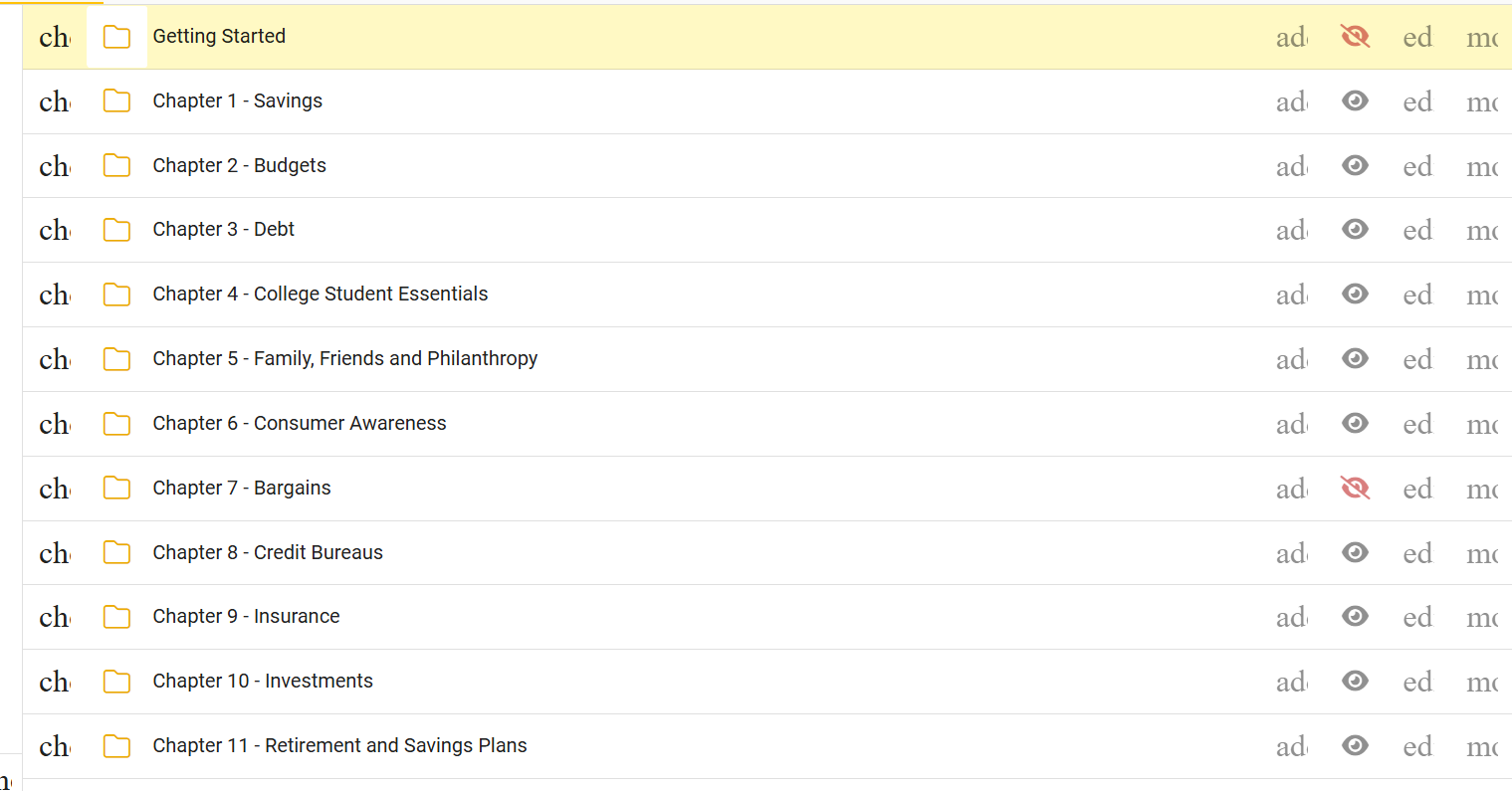

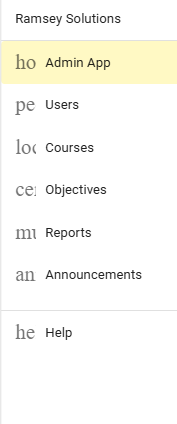

Thank you for reporting this, Laura!
I have not been able to replicate this behavior after going to those areas in Buzz when using Chrome version 143.0.7499.193 in Windows. In order to attempt to encounter the reported behavior and investigate, I will need the following information:
Thank you!
It seems like Agilix Buzz may not work as well in Edge as in other browsers...is that correct?
Thank you so much for that information!
To answer your question, Edge is a supported web browser.
Does refreshing the browser resolve the behavior in Chrome?
If it does not, may I please be provided with a screenshot of the About page dialogue? It's located in the sub-menu from the user's profile picture. Thanks again!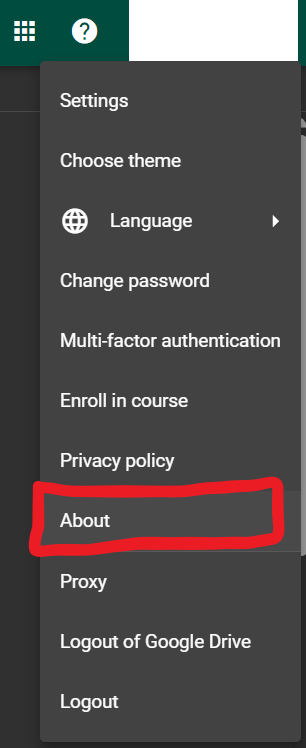
Chrome seems to work fine...it's just Edge that has the issue (and that's the browser I normally use). When I go to the About in Edge, I get this in the 'General' tab:
And this in the Support tab:
Thanks again, Laura!
It appears that the browser has cached a bad file. I recommend clearing the browser cache and then refreshing again. If the problem persists, please open Edge’s browser developer tools (F12), click the Network tab, check “Disable cache” and then click the Refresh button.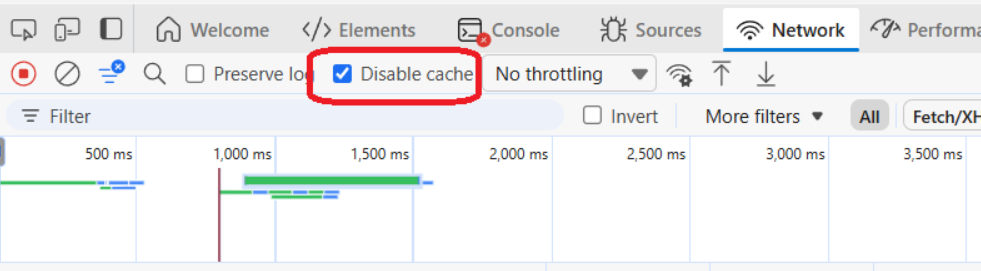
If the problem is solved, I recommend reverting the cache setting by clearing the “Disable cache” checkbox.
If the problem persists, please reach out to your authorized support representative so they can open a ticket with Agilix Support and provide in the ticket a captured HAR file from the Network tab of the reloaded page.
Hello again, Laura!
May I please know if the browser extension called "Copy Leaks" is being used? If so, I recommend removing that extension and refreshing the page, and letting me know if the behavior resolves.
Hello everyone!
I have confirmed that if users have the browser extension called "Copy Leaks" installed, it will result in this behavior. The recommended resolution is to remove the extension from the browser.