Answered
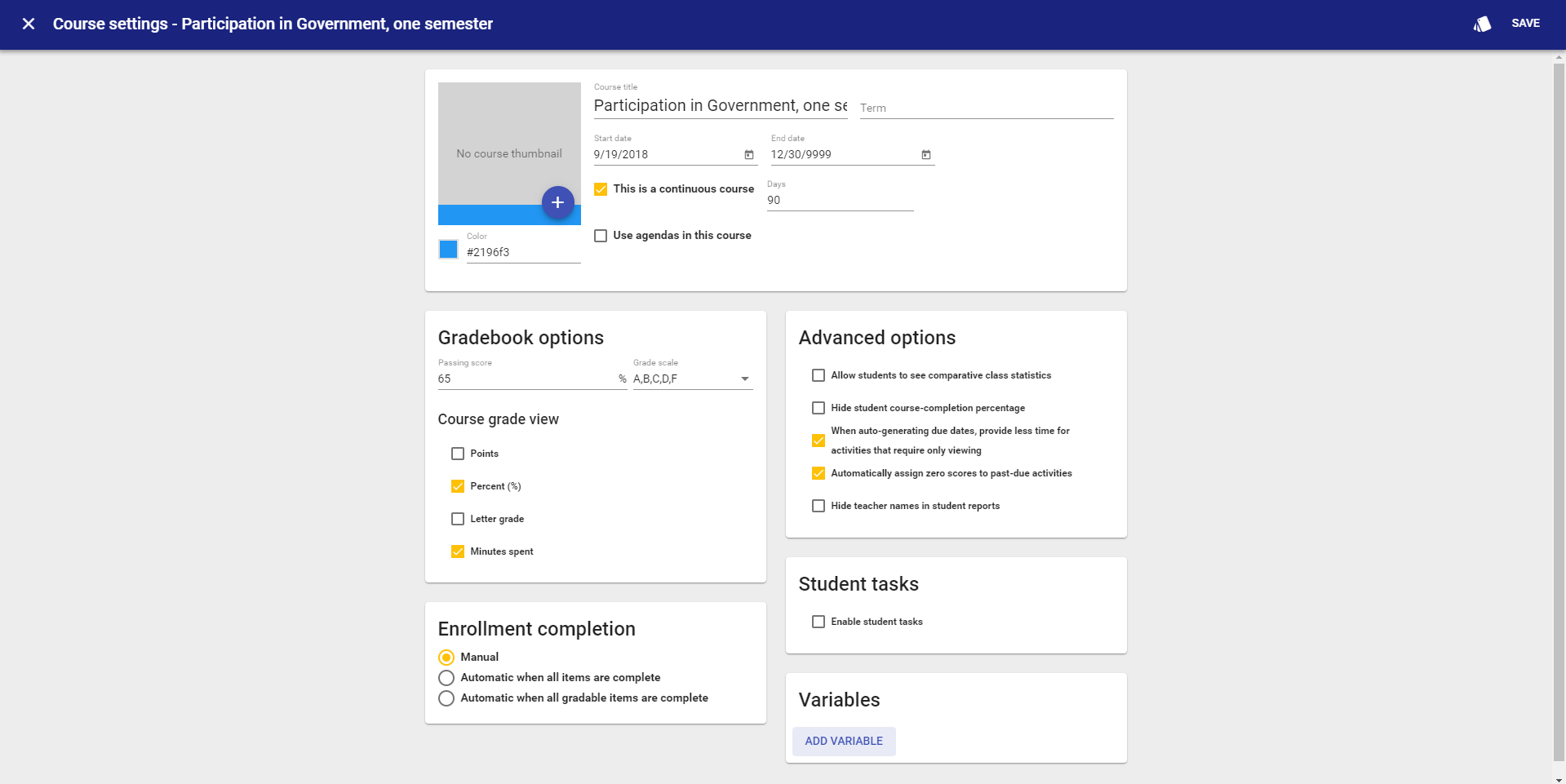
According to the above article, I should be able to create grading categories by simply going to the Course Settings in the Editor and checking a box that says 'Use weighted categories'. However, I do not see this option.
I go to the Editor in the course --> select Course Settings --> but this supposed "gradebook" tab mentioned in the article does not exist. There are no tabs in the Course Settings. It is just one page. I see a "Gradebook options" box that has elements like "passing score", etc. but not what I'm searching for.
Can anyone explain this article to me and how to accomplish this task?
Screenshot
Comments (2)
Hi Blane,
When I go to that same page for one of my courses, I see the option referred to in the article:
In the admin app, your admin has the ability in the Features section to enable grade categories for users in a specific domain. I'm guessing that your admin has that turned off. You'll want to discuss with them your desire to want to add categories to your course.
I hope that helps,
Jeremy
Ah I see! Thank you Jeremy. Fortunately, I am an admin so I just enabled the feature. :) Thanks for the quick response.