Buzz API

Screen enlarged in Buzz

Follow
Answered
Brooklyn Matocha

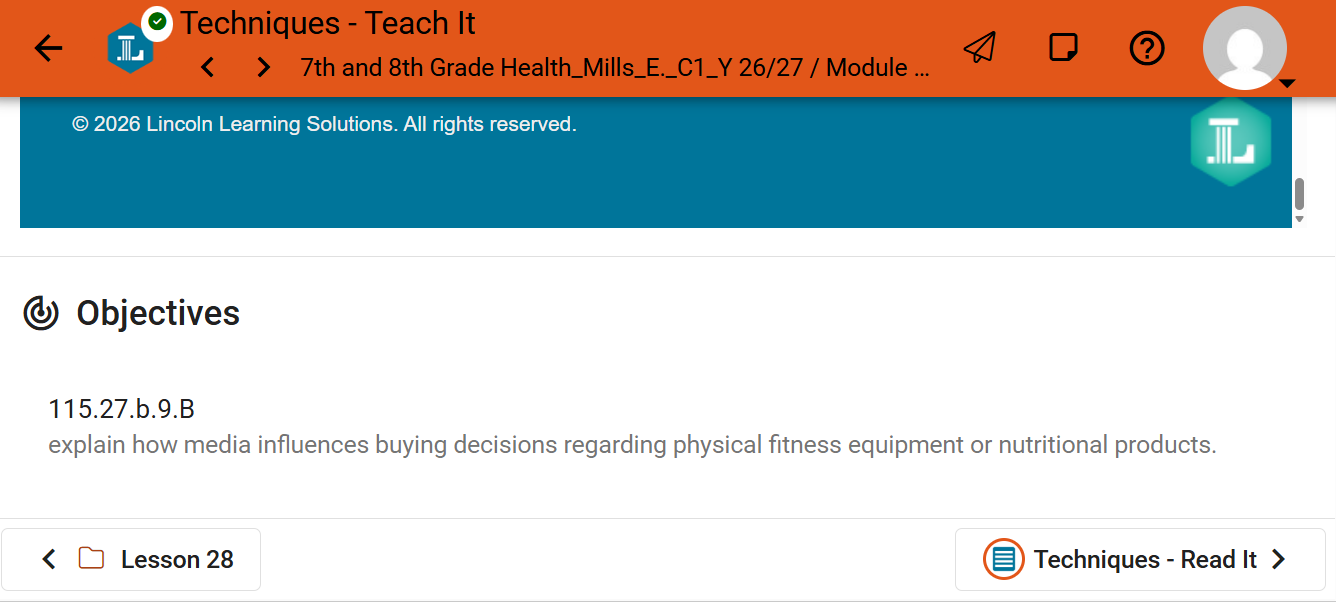
I don't know if it's just me or if it's something I did, but when I'm in Buzz my screen is insanely enlarged. I have to scroll atleast 3 or so times just to read one paragraph, otherwise I literally can't see the other words on my screen.
Comments (1)

Sort by
Allison Shepherd
  • Agilix team member

Hi Brooklyn,

Thanks for reaching out! It looks like everything in Buzz is showing larger than normal, so the lesson only has room for a few lines at a time. Let’s try a quick fix first:

  • Reset your browser zoom. Press Ctrl + 0 (Windows/Chromebook) or Cmd + 0 (Mac) while you’re in Buzz. Browsers remember zoom separately for each site, so Buzz can stay zoomed in even when other sites look normal.

If that doesn’t fix it, please send us these details so we can reproduce it on our end:

  1. Device and operating system (for example, Windows laptop, Chromebook, Mac, iPad)
  2. Browser and version (Chrome, Edge, Safari, Firefox)
  3. Other activities: Does this happen only on the Lincoln Learning lesson pages like “Techniques - Teach It,” or on every page in Buzz (your home page, other assignments)?
  4. Other websites: Do they look normal on the same device and browser?
  5. When it started: Has it always looked like this, or did it start recently? Did anything change around then, like a browser update, a new device, or a display setting?

Once we have that, we can look into it further. Thanks!


How much time will BusyBee save you? Check out our AI-Powered Learning & Teaching Companion!

0 Comment actions Permalink
Please sign in to leave a comment.