Hey Buzz team,
I am having an issue with students in my course being marked as "completed" in the back end of the course even though I have my settings set up as "Manual" for that to not be the case, intentionally.
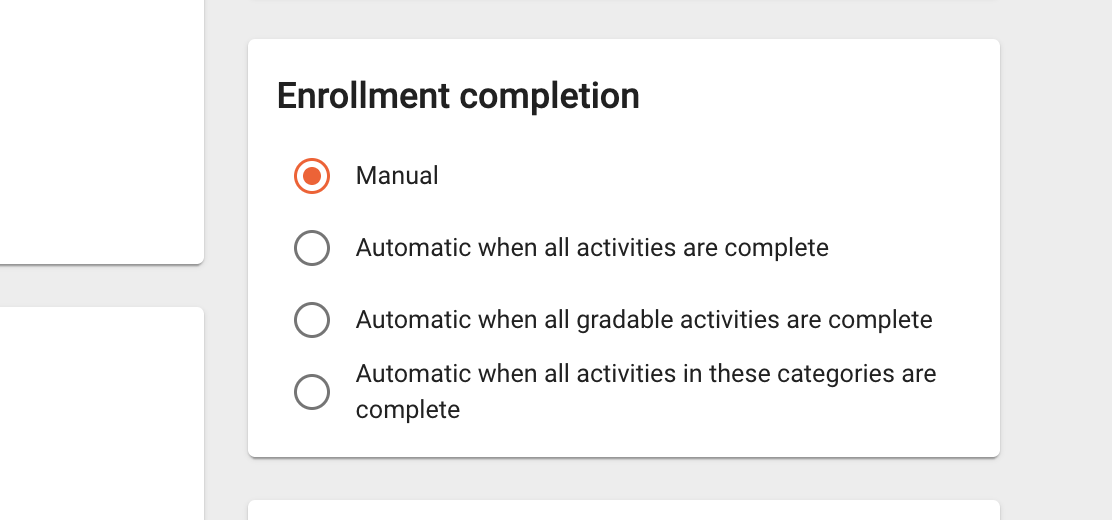
As you can see in the image, that is how I set it up in the beginning of the semester, so the program should not be automatically marking students complete. The issue is that they disappear from my roster, and it does not allow them to submit any longer. I have some assignments that students can look to better their scores all the way until June 4th (our last day). Furthermore, I like to go through my roster at the very end and ensure that all of my scores are accurate for each individual (139 students). It is much more tasking to have to set my gradebook to "Show inactive enrollments" because then I have to filter through those that have withdrawn or transferred out as well.
My question is this, you have an article LINKED HERE that shows that the setting that I currently have, should mean that they are not marked as complete unless someone from our school marks them that way. However, it was automatically done today (05/28) and we have a week to go still.
I need to understand why? I also need this to be something I avoid in the future. Please help.
Sam Martinez
Comments (8)
Good afternoon Sam,
I'm sorry you're running into this issue! Can you please provide me with an enrollment ID for an enrollment that was auto-completed? That way I can investigate why this is occurring.
How much time will BusyBee save you? Check out our AI-Powered Learning & Teaching Companion!
There are several enrollment ID's, does it matter which one I give you?
Thanks
Here is one example
248613953
I have others, if needed.
Hi Sam,
Enrollment ID 248613953 was manually marked completed by user ID 233342992, not automatically by Buzz. You can see this by going to the Enrollment Details page>History tab and then select the "Details" button on the status change from Active to Completed, then looking at the "modifiedby" field.
That user is me though? I did not do anything to click "complete" though?
Is there something else that could be causing this? All I have been doing is updating grades....
I also did not manually do this for multiple people, NONE in fact...
Moreover, I don't even know how to mark a student complete, so how could it have been me?
Hello!
For enrollment ID 248613953:
These events occurred only 0.1621238 seconds apart.
Is your organization using the API to issue final grades and mark enrollments as completed? In the Buzz UI, these are handled by two separate buttons/actions, so the near-simultaneous timestamps may indicate the API is being used to perform both actions programmatically.
That is what I suspected. I have sent this up the chain to my admin, so we will see if something above where us teachers have access to is doing something automatically.
Thank you
Sam