Answered
Hello! Two recommendations for fixing the printable Gradebook view: 1) Make the signature lines an equal length; 2) Fix the misspelling of the word "learner". Thanks! See image below:
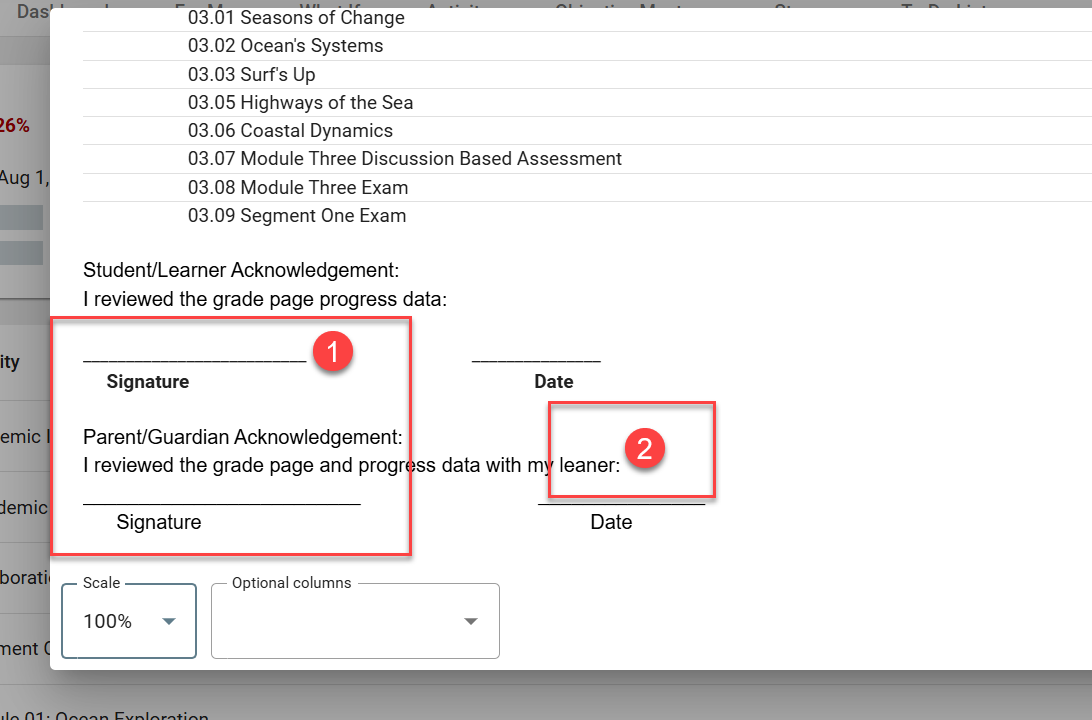
Hello! Two recommendations for fixing the printable Gradebook view: 1) Make the signature lines an equal length; 2) Fix the misspelling of the word "learner". Thanks! See image below:
Comments (1)
Good morning Meri,
The ability to edit the print footer is controlled by the Print card’s Edit grades footer button in the Domain Settings. A user with an admin role in your organization can make changes to the area shown in your screenshot.