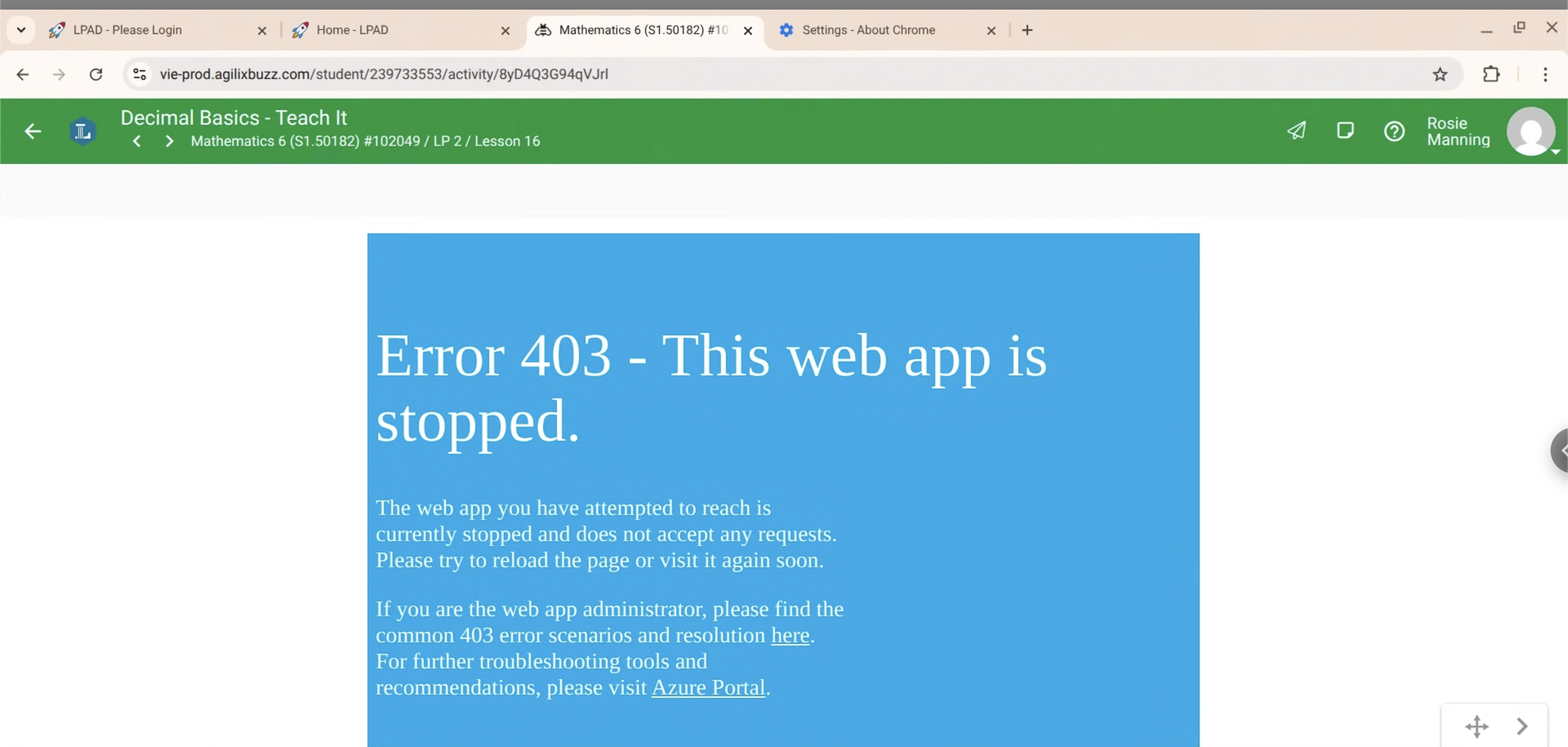
All of the lessons that use Teach IT aren't loading and we troubleshooted with our school's tech department and was unable to resolve the issue. Here is the error code that we received "Error 403 - This web app is stopped."
Thank you for reaching out. Since this appears to be an external integration, the next best step would be to report this behavior to your organization's authorized support representatives. They will be able to investigate this behavior more directly and escalate any questions to Agilix Support if needed.
Thank you for reaching out. Since this appears to be an external integration, the next best step would be to report this behavior to your organization's authorized support representatives. They will be able to investigate this behavior more directly and escalate any questions to Agilix Support if needed.
Hi Andrew,
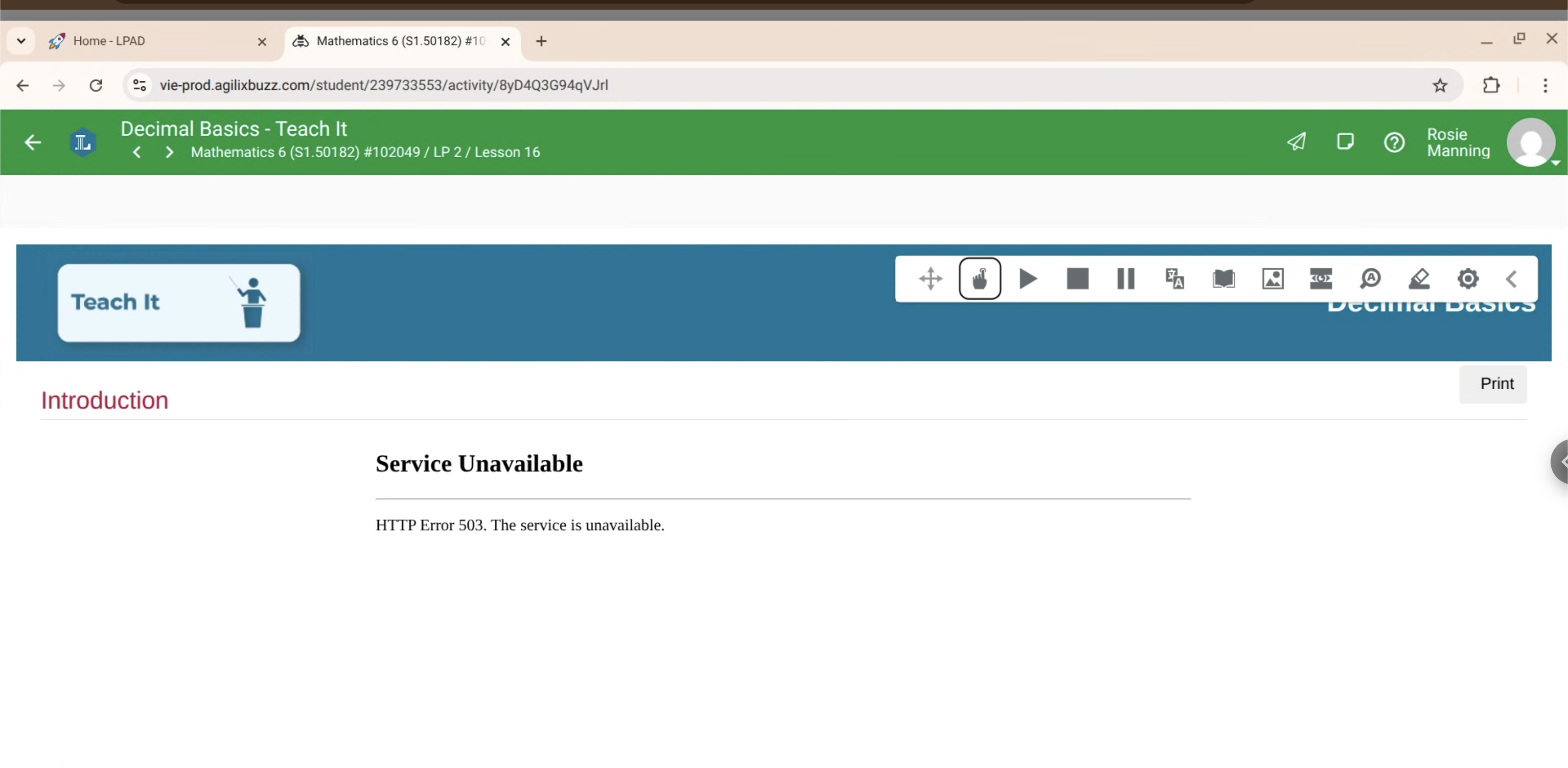
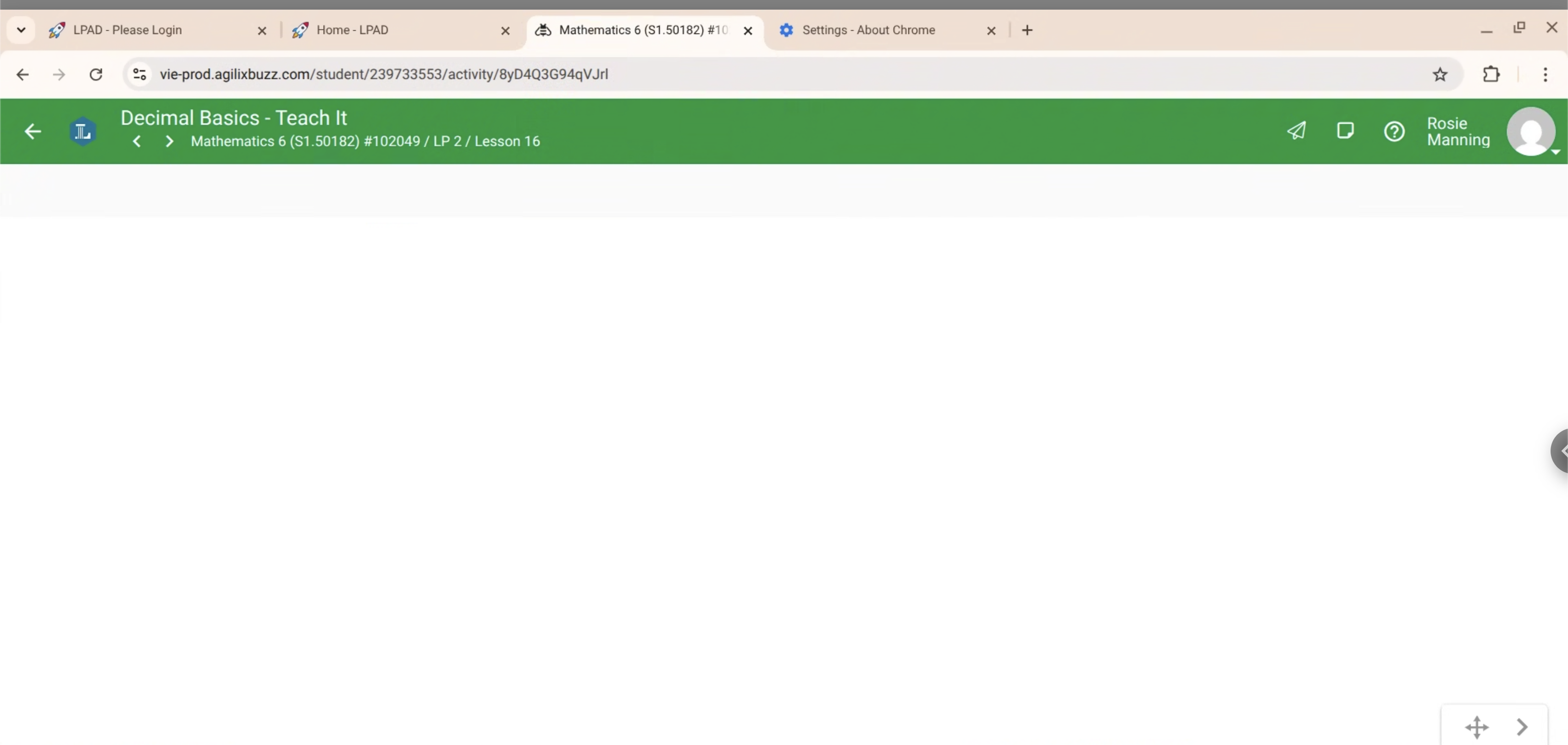
We're one of the authorized support representatives that recommended they post here regarding the issue. We attempted factory resetting the ChromeOS laptop, ensuring the device was up to date, resetting the browser's settings, tried different WiFi connections, and tried a Macbook, but the issue persisted across all of our possible solutions. We recommended they post here regarding the issue to escalate it to you guys, as we were hands on it attempting to troubleshoot what was happening. The issue bounced from displaying a Web App 403 error, to a HTTP 503 error, to a blank area where the content should be. I have photos of the issues for reference if needed. This should also include the class and lesson information at the top.
Let us know if further information is needed. We can follow up with a User ID if needed as well.
Thanks for reaching out! For this type of issue, it will need to be submitted through the student’s school or their online program’s authorized support agent. From there, they can work with School Pathways and, if needed School Pathways may submit a ticket to Agilix Support.
Based on the error message reported, it looks like the issue is coming from the LTI provider because that isn't a Buzz generated error. I confirmed the actvity is using LTI to serve their content inside of Buzz. I also proxied in as the reported user and was able to open the activity successfully with the content loading without any errors. I'm not currently able to encoutner the reported behavior.
Thanks for reaching out! For this type of issue, it will need to be submitted through the student’s school or their online program’s authorized support agent. From there, they can work with School Pathways and, if needed School Pathways may submit a ticket to Agilix Support.
Based on the error message reported, it looks like the issue is coming from the LTI provider because that isn't a Buzz generated error. I confirmed the actvity is using LTI to serve their content inside of Buzz. I also proxied in as the reported user and was able to open the activity successfully with the content loading without any errors. I'm not currently able to encoutner the reported behavior.
Hey Brian,
We received confirmation from Lincoln Learning that this was an issue on their end and should be resolved as of today at 7:45 AM. I followed up with Rosie and confirmed its working now. Thanks for helping us troubleshoot the issue!
Comments (4)
Hi Rosie,
Thank you for reaching out. Since this appears to be an external integration, the next best step would be to report this behavior to your organization's authorized support representatives. They will be able to investigate this behavior more directly and escalate any questions to Agilix Support if needed.
Hi Andrew,
We're one of the authorized support representatives that recommended they post here regarding the issue. We attempted factory resetting the ChromeOS laptop, ensuring the device was up to date, resetting the browser's settings, tried different WiFi connections, and tried a Macbook, but the issue persisted across all of our possible solutions. We recommended they post here regarding the issue to escalate it to you guys, as we were hands on it attempting to troubleshoot what was happening. The issue bounced from displaying a Web App 403 error, to a HTTP 503 error, to a blank area where the content should be. I have photos of the issues for reference if needed. This should also include the class and lesson information at the top.
Let us know if further information is needed. We can follow up with a User ID if needed as well.
Hi Connor,
Thanks for reaching out! For this type of issue, it will need to be submitted through the student’s school or their online program’s authorized support agent. From there, they can work with School Pathways and, if needed School Pathways may submit a ticket to Agilix Support.
Based on the error message reported, it looks like the issue is coming from the LTI provider because that isn't a Buzz generated error. I confirmed the actvity is using LTI to serve their content inside of Buzz. I also proxied in as the reported user and was able to open the activity successfully with the content loading without any errors. I'm not currently able to encoutner the reported behavior.
Hey Brian,
We received confirmation from Lincoln Learning that this was an issue on their end and should be resolved as of today at 7:45 AM. I followed up with Rosie and confirmed its working now. Thanks for helping us troubleshoot the issue!