I appreciate that help! I restored everything that was in the recycle bin, but the activity did not come back. This is what the student's page looks like:
I have had activities, folders, modules, etc disappear several times over the years. It took a while to figure out that it was caused by using the trackpad on my laptop to scroll through the syllabus. For me, a trackpad swipe sometimes registers as a click-drag. That causes an activity, folder, module to get picked up, dragged, and dropped into another folder. It effectively gets hidden from view. If you know the name of the module or something in the module I would do a search for it. When in the editor there is a "find activity" button at the top in the tool bar.
The results of the search show you where the item is located. Selecting an item and clicking ok will take you to it.
Yes, I tried that too, but the only thing that comes up is the missing activity! I think what I need is the information on this page for first grade science, Module 1, Activity 1 - Moon and Seasons
All the information is gone from this page so I just need to know what goes on this page.
If something was deleted from within the activity you can look at the history. Open the assignment in the editor and click the history tab. You can scroll through and see changes that were made.
If this doesn't help maybe someone from Agilix will chime in. They will likely suggest you reach out to whoever is in charge of Buzz at your school and have them fill out a ticket so they can dig into your actual course to see what happened.
I did try that, but it didn't work, not sure why. I did figure it out though! I needed the url of the website for that lesson! Thank goodness there are two of us that teach first grade so that I could get it from her!!
Comments (6)
In the editor click the wrench at the top of the screen. The last item in the pop-up menu is the recycle bin.
I appreciate that help! I restored everything that was in the recycle bin, but the activity did not come back. This is what the student's page looks like:
I have had activities, folders, modules, etc disappear several times over the years. It took a while to figure out that it was caused by using the trackpad on my laptop to scroll through the syllabus. For me, a trackpad swipe sometimes registers as a click-drag. That causes an activity, folder, module to get picked up, dragged, and dropped into another folder. It effectively gets hidden from view. If you know the name of the module or something in the module I would do a search for it. When in the editor there is a "find activity" button at the top in the tool bar.
The results of the search show you where the item is located. Selecting an item and clicking ok will take you to it.
Yes, I tried that too, but the only thing that comes up is the missing activity! I think what I need is the information on this page for first grade science, Module 1, Activity 1 - Moon and Seasons
All the information is gone from this page so I just need to know what goes on this page.
If something was deleted from within the activity you can look at the history. Open the assignment in the editor and click the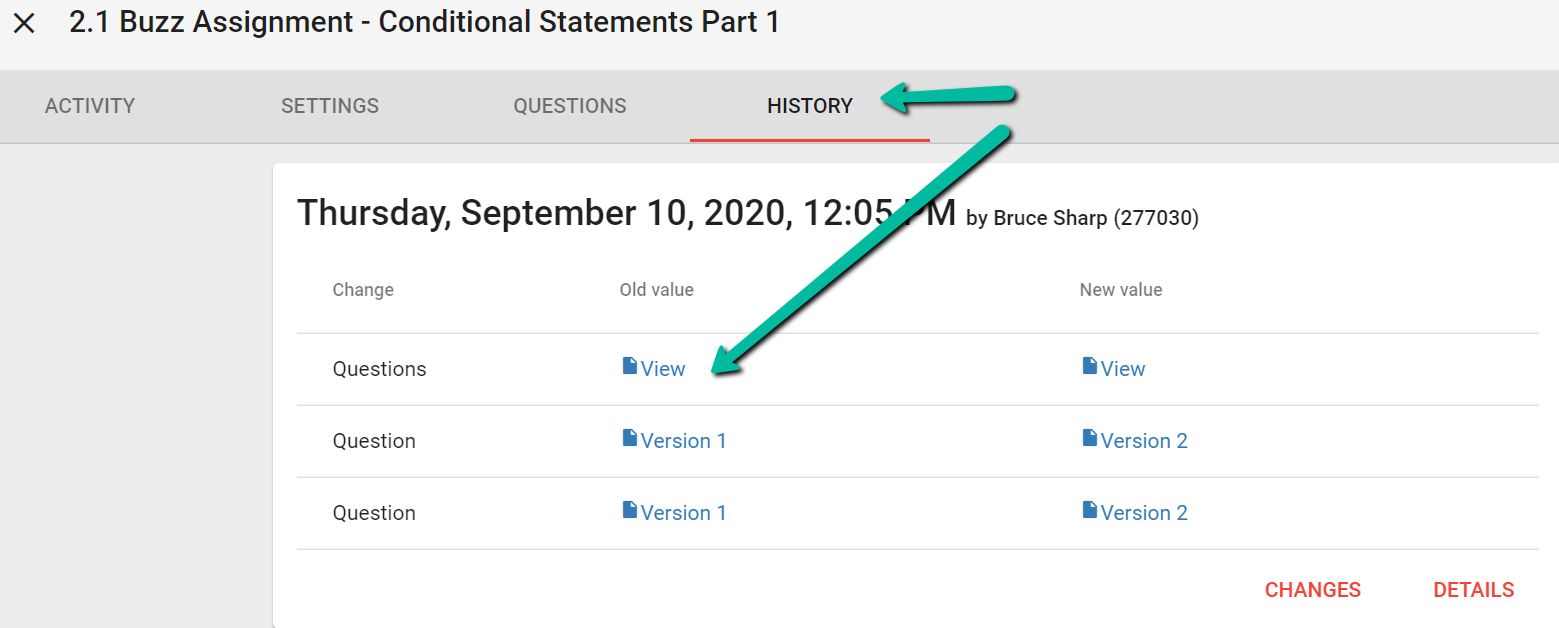 history tab. You can scroll through and see changes that were made.
If this doesn't help maybe someone from Agilix will chime in. They will likely suggest you reach out to whoever is in charge of Buzz at your school and have them fill out a ticket so they can dig into your actual course to see what happened.
Good Luck :)
I did try that, but it didn't work, not sure why. I did figure it out though! I needed the url of the website for that lesson! Thank goodness there are two of us that teach first grade so that I could get it from her!!