Answered
Hello!
Are there any other factors for why a manually scored dropbox assignment could NOT be "Cleared" for a score? I was just testing two different courses, two different dropboxes, and for one of them I was able to Clear the score on the dropbox (LMS ID 215110287), but the other dropbox is stuck showing the original score (LMS ID 215110234). See images below.
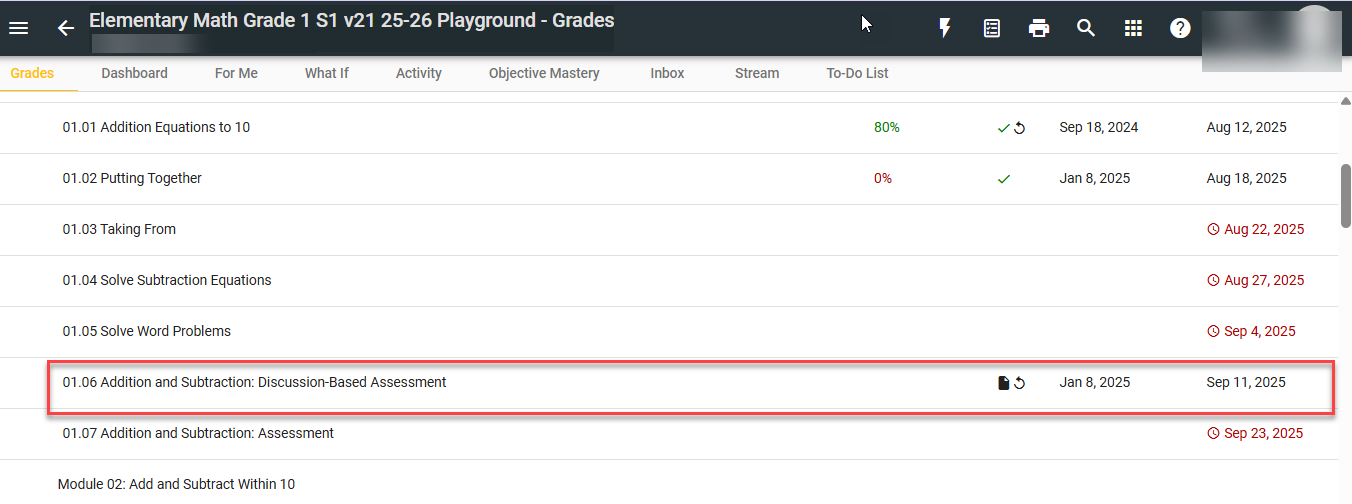
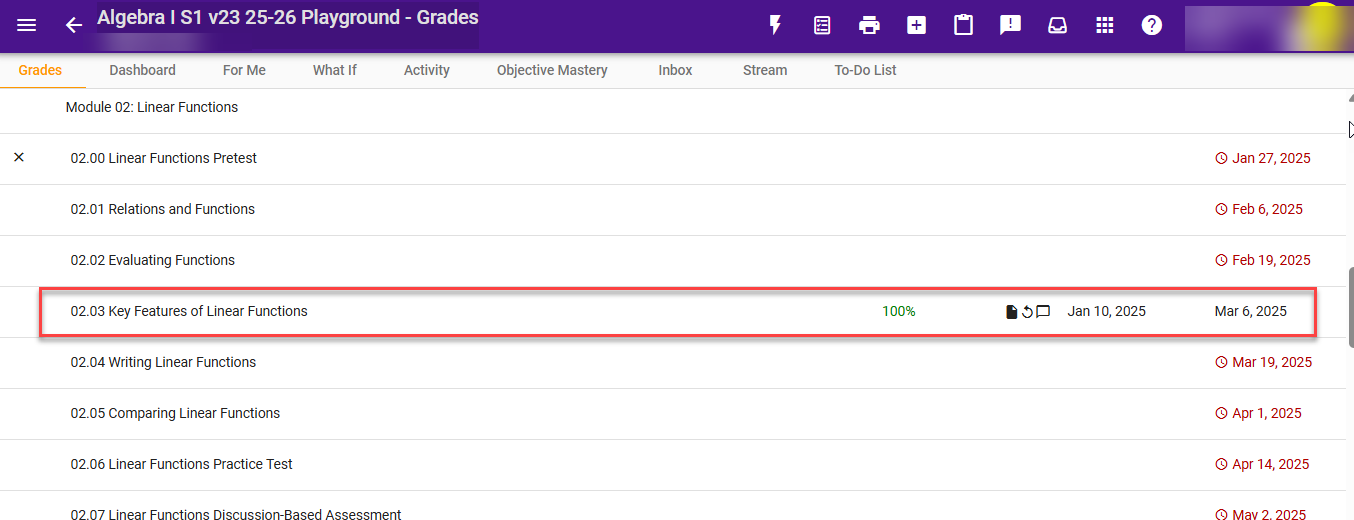
I'm trying to figure out what might be different in these cases - here's a quick overview:
- The Elementary Math assignment (1.06) that Cleared correctly was just manually graded today via Needs Grading, and then I cleared it from the Gradebook within a minute
- The Algebra assignment (2.03) that did not Clear had been manually graded initially over a year ago and had many other grading actions taken as we were testing out various things, including sending messages. I have cleared my cache and that didn't help. I also tried Clearing the score as both the teacher account and as an Admin. I tried a lot of various combos of buttons/order of clicking on the 02.03 dropbox and a score remains no matter what I do.
Would any particular grading action or setting that I am not seeing negate the ability to Clear for a manually graded dropbox?
Thank you in advance for any insight!
Comments (2)
Hi Meri,
Thank you for that detailed explanation and those screenshots! After reviewing the two activities you referenced, the behavior is related to how Buzz handles multiple submission versions and previously recorded scores.
For the Elementary Math activity (01.06), this activity only has one submission version. Since there are no previously scored submissions, clearing the score removes the grade entirely and the activity returns to a Needs Grading state in the Gradebook.
For the Algebra activity (02.03), it has multiple submission versions. The most recent submission's score can be cleared, but there is a previous submission version that was scored at 100%. When the current submission's score is cleared, Buzz will display the most recent previously scored submission score instead. Because of this, a score remains in the Gradebook even after clearing. Scores associated with previous submission versions are shown in the submission history and cannot be cleared.
So, the difference between the two activities is that 01.06 has no earlier scored submissions, while 02.03 does, which is why clearing the score produces different results.
I hope this clears things up. Let me know if you have any questions, and have a great day!
How much time will BusyBee save you? Check out our AI-Powered Learning & Teaching Companion today!
Thanks very much for the quick reply, Andrew! It would be great to have an option to fully Clear all scores from an assignment's submissions, but this is useful to know the functionality details for now as we work with our teachers on options.