Answered
Is there a simple method to allow teachers to inactivate student accounts in a continuous course so that they may not share answers with other students? The accounts would only exist for their single course and are intended for a one time limited period of use. We know it can be done by an admin account.
Once a student account is inactive, will that prevent the student from using their credentials to view course info such as test questions?
Comments (1)
Hi Michael,
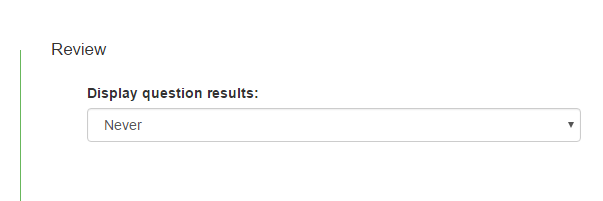
I'm not sure about making students inactive. Under Assessment Settings in the Review section just set Display question results to Never.(See the picture below.) Once a student submits their assessment they are unable to see it. The only thing they should be able to see is the total score displayed in the gradebook screen. They can't see anything regarding individual questions.
Of course, nothing stops them from taking a screen shot of the questions during the test to send to their friends. :/